Granting Access – Google Analytics (GA4)
If we’re handling analytics, reporting, or conversion tracking, we’ll need access to your Google Analytics (GA4) property. Here’s how to add us.
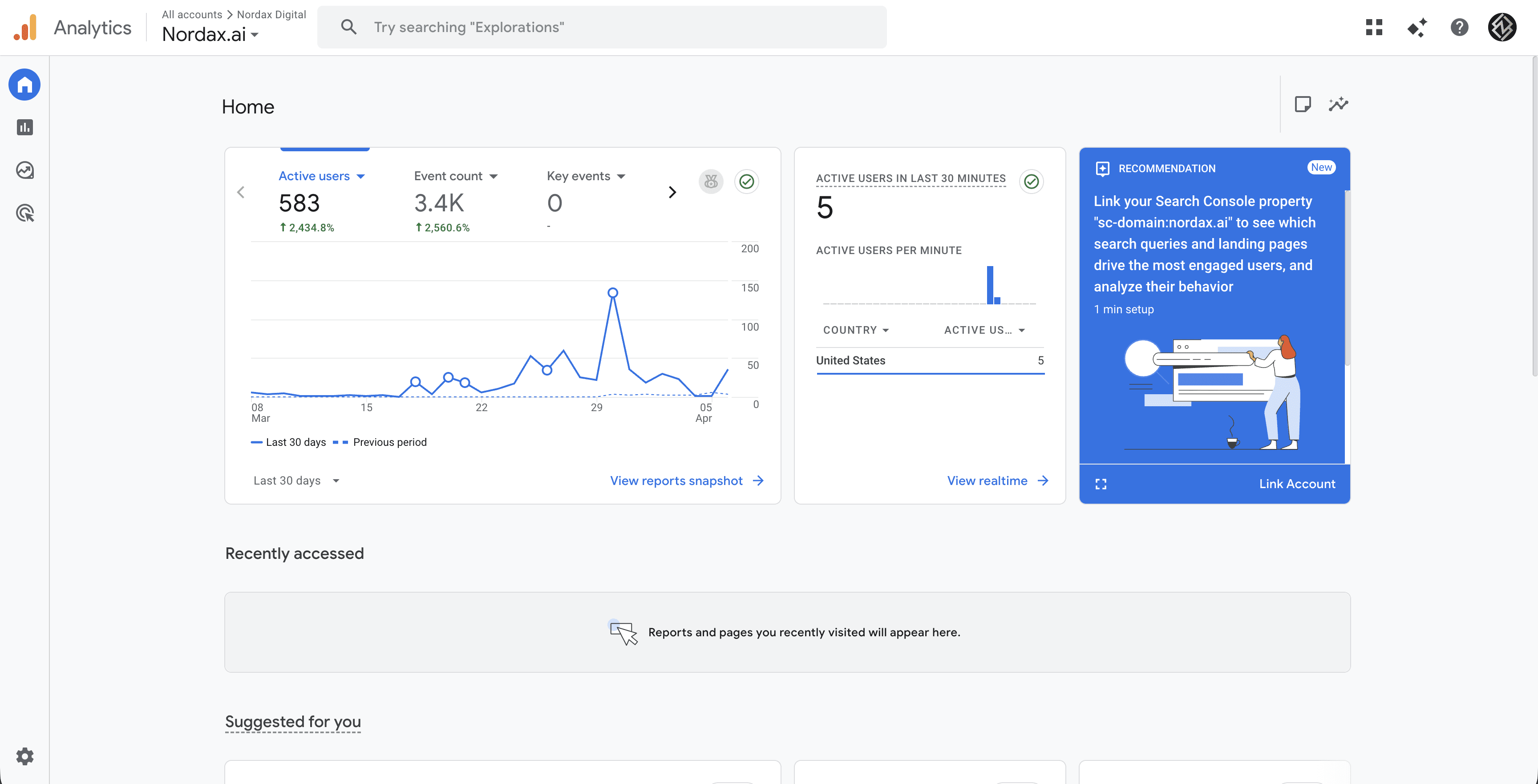
Step 1 – Open Google Analytics
Go to analytics.google.com and make sure you’re viewing the correct property.
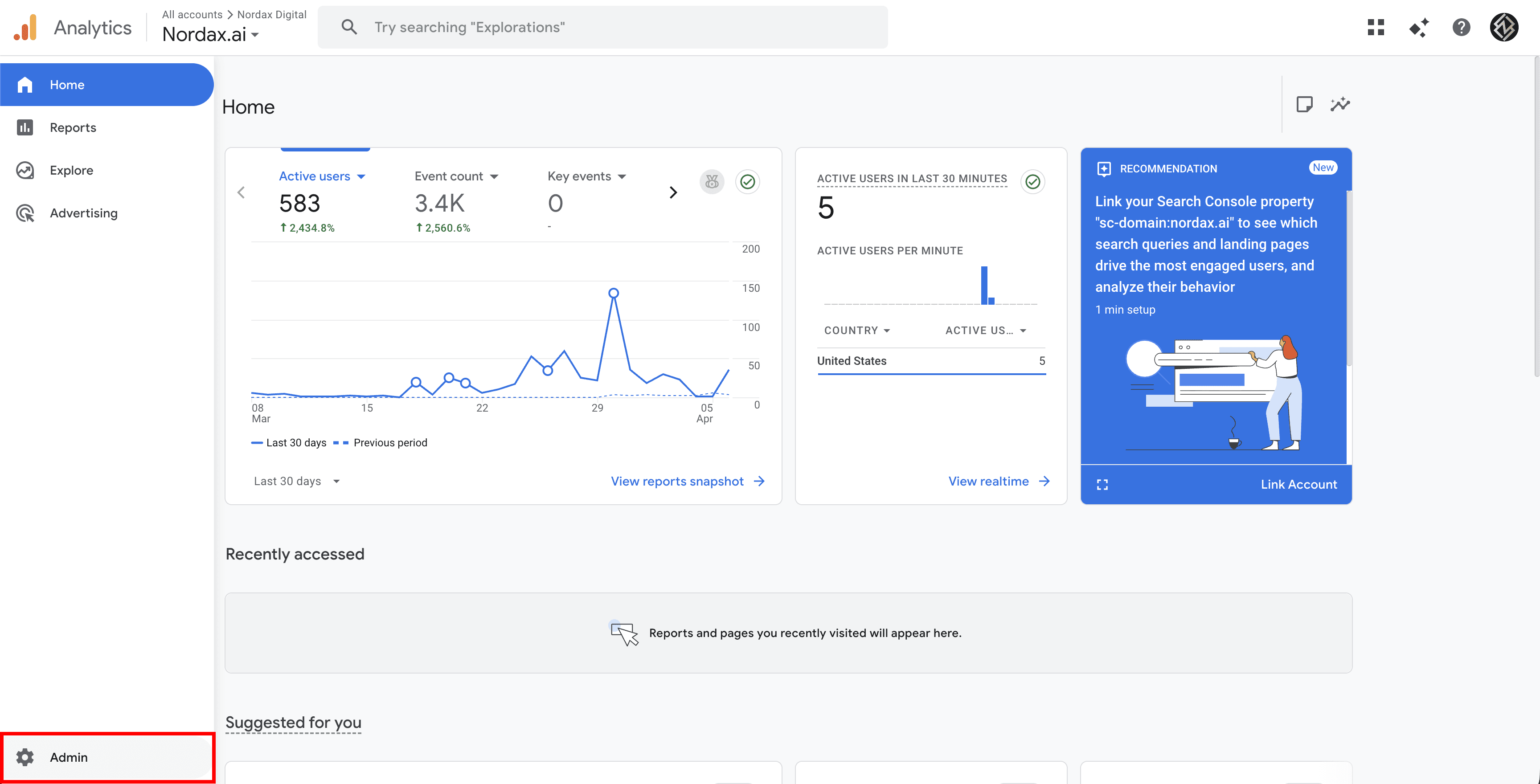
Step 2 – Go to Admin
Click the gear icon (Admin) in the bottom-left sidebar.
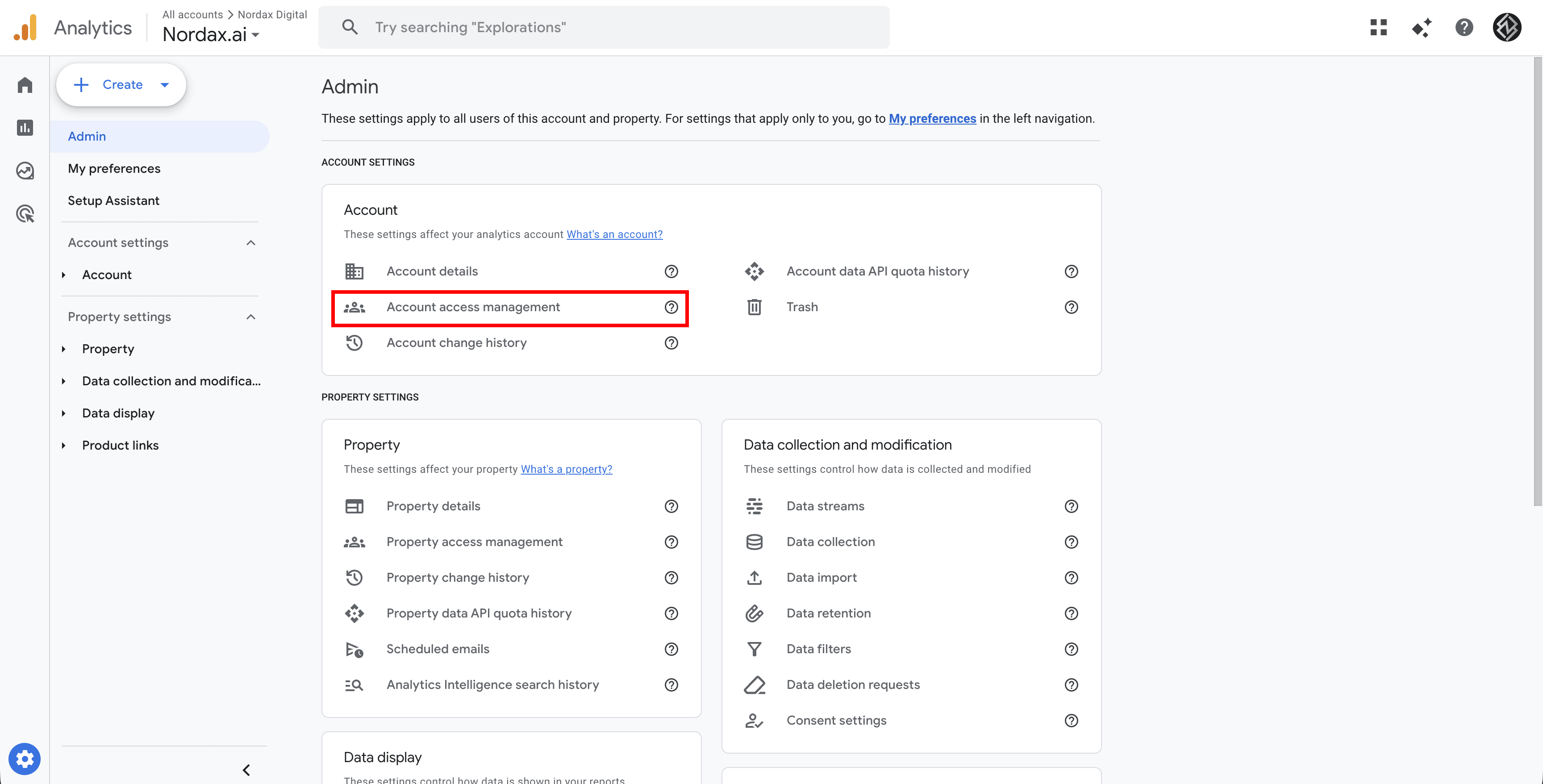
Step 3 – Open Access Management
Under your property or account, click Access Management (the people icon).
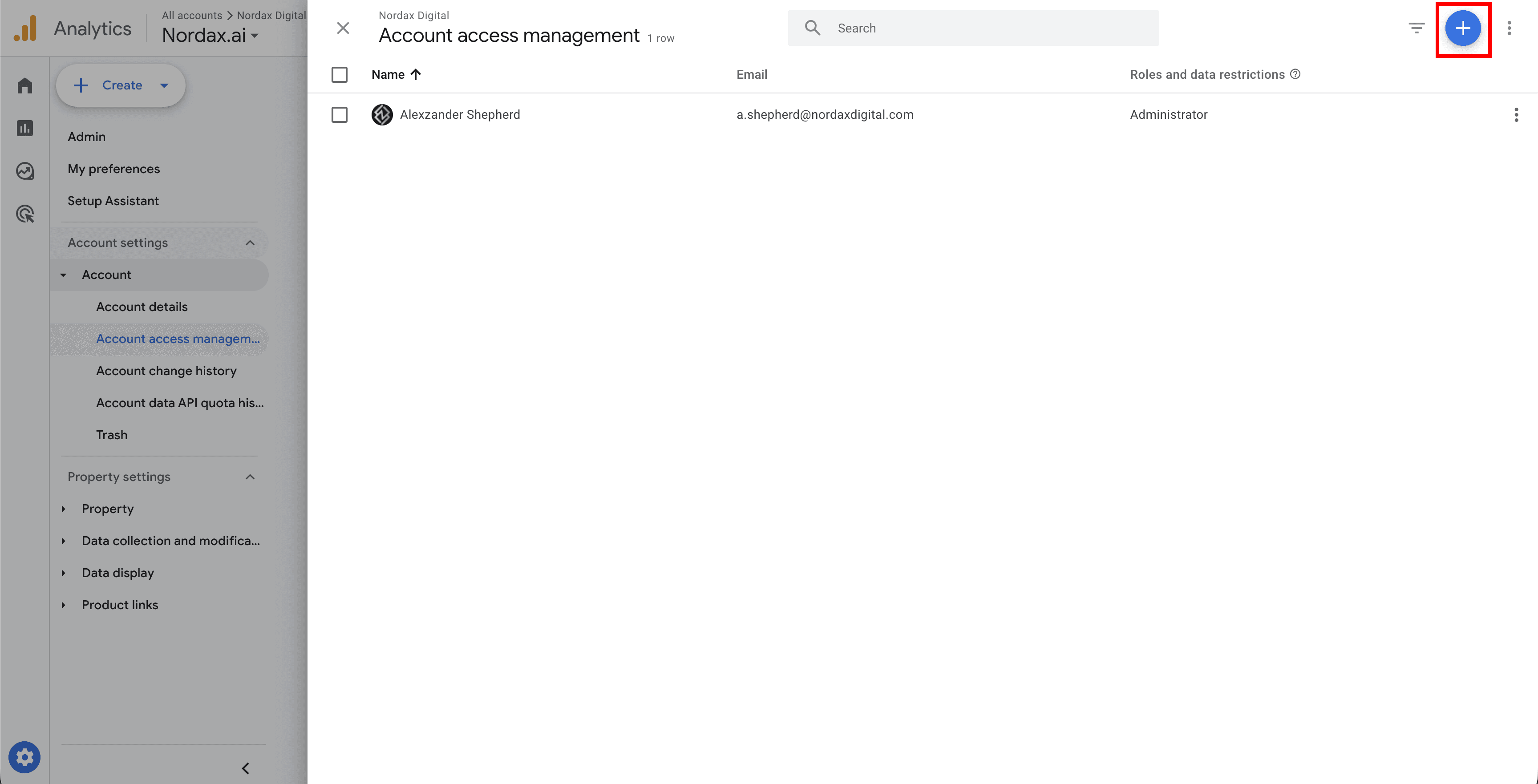
Step 4 – Add a User
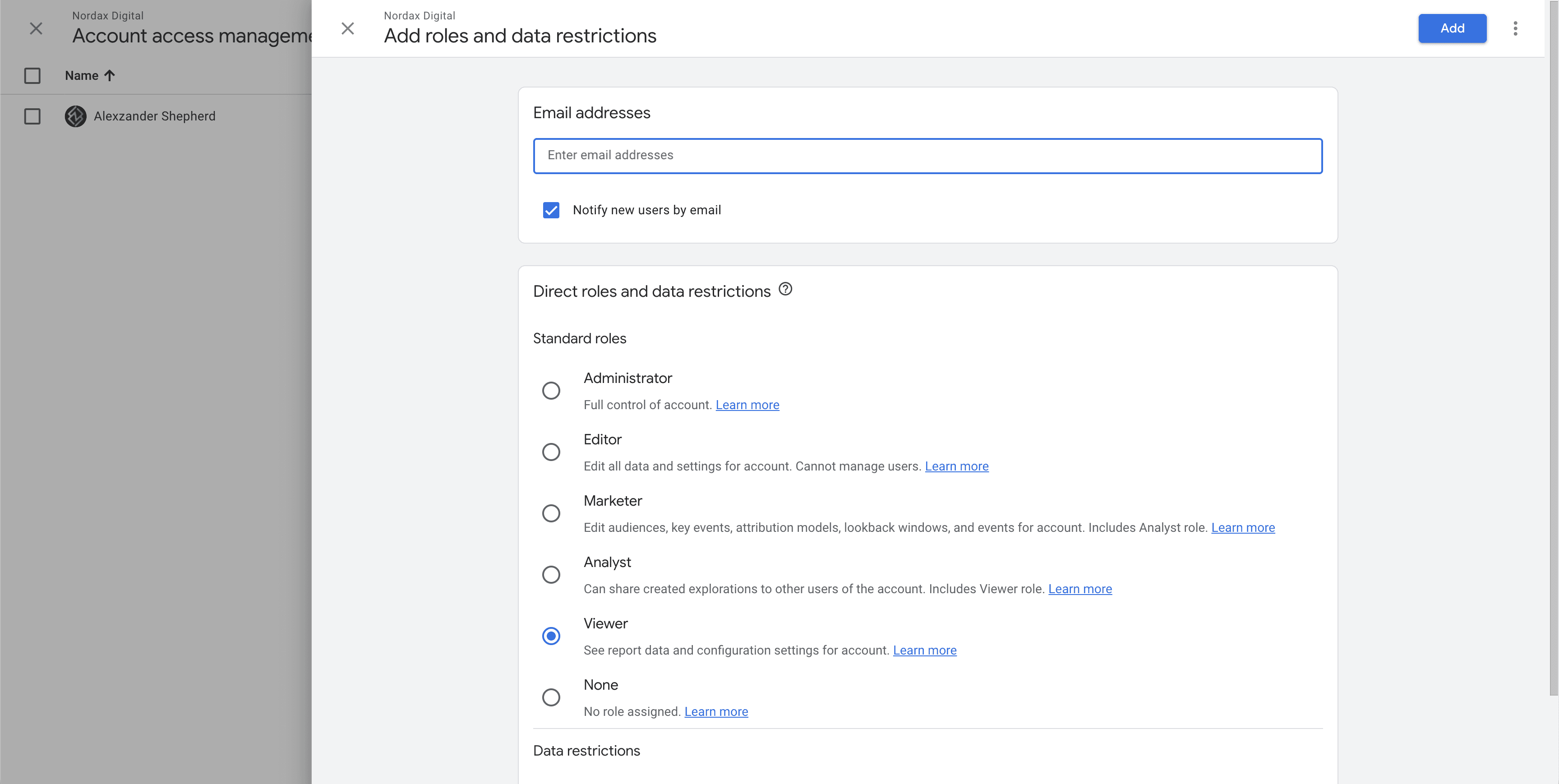
Click the + button in the top-right, then Add users. Enter the email address we provide and select the appropriate role. We’ll let you know which one we need.
Step 5 – Confirm
Click Add and we’ll have access. You can modify or remove access at any time.
Need Help?
If you have multiple properties and aren’t sure which one to share, contact us and we’ll help you identify the right one.
Last updated on