Granting Access – Google Search Console
If we’re managing your SEO or website performance, we’ll need access to your Google Search Console property. Here’s how to add us.
Step 1 – Open Google Search Console
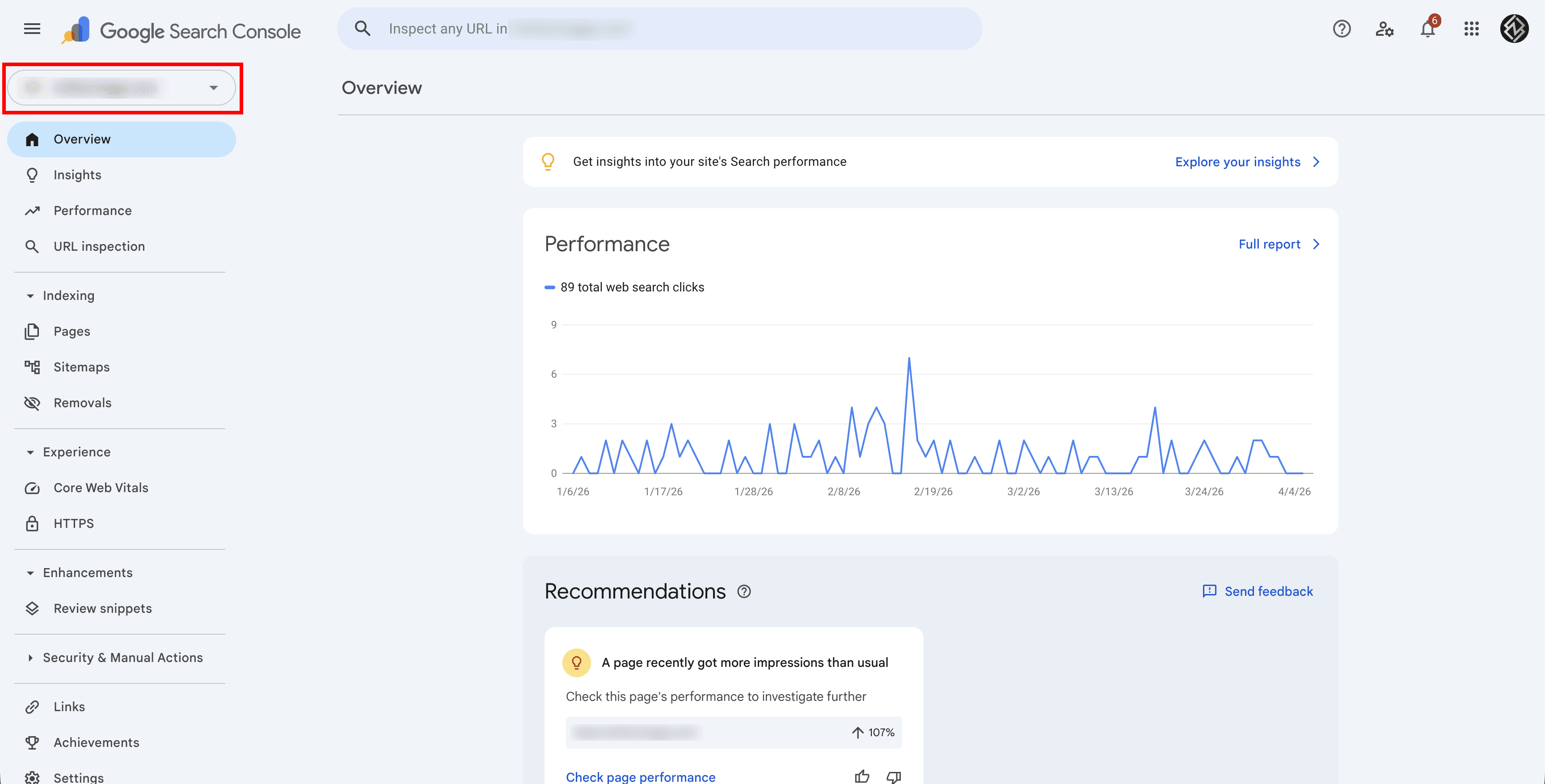
Go to search.google.com/search-console and select the property (website) you want to grant access to.
Step 2 – Go to Settings
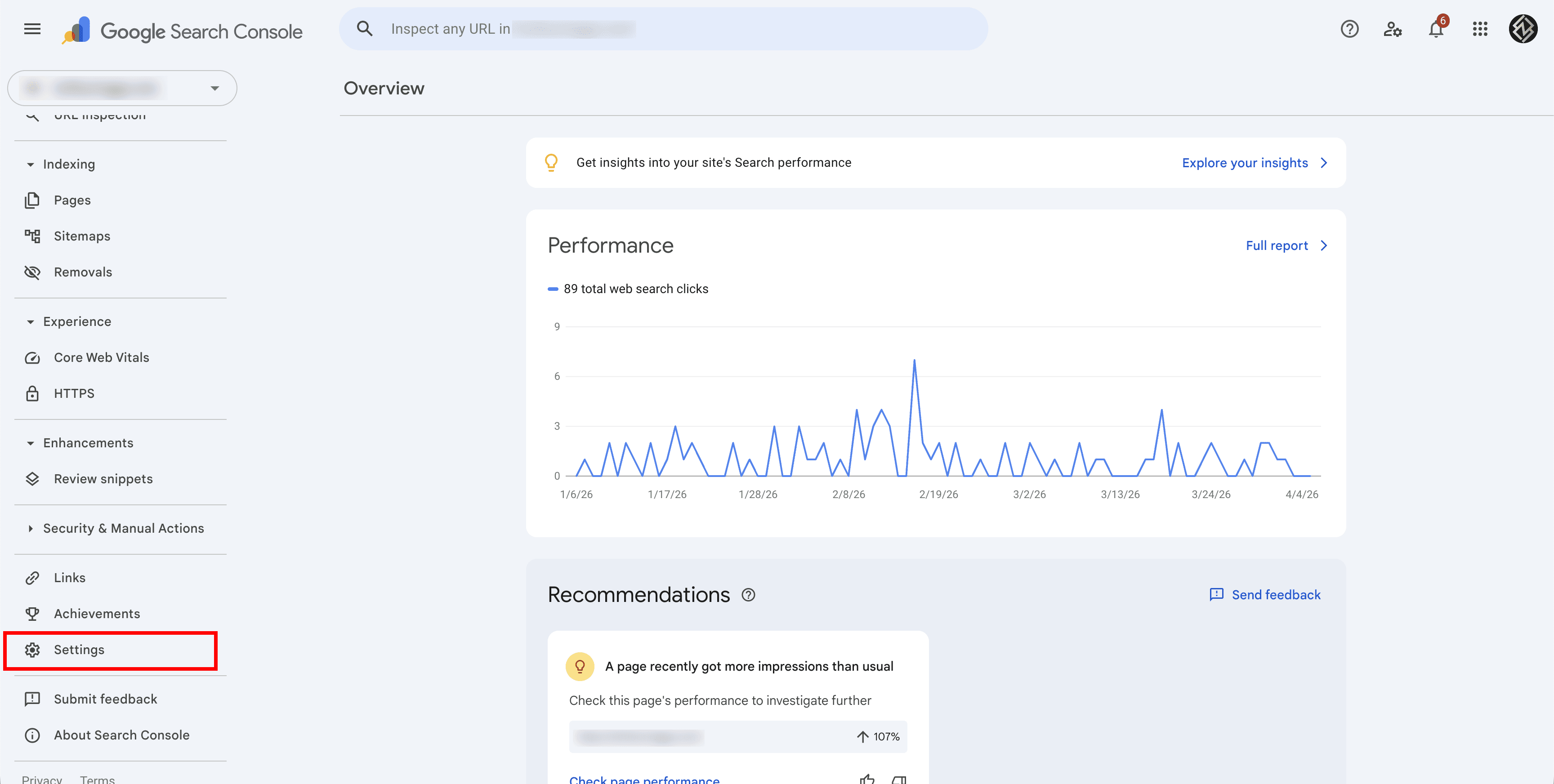
Click Settings in the bottom-left sidebar.
Step 3 – Click Users and Permissions
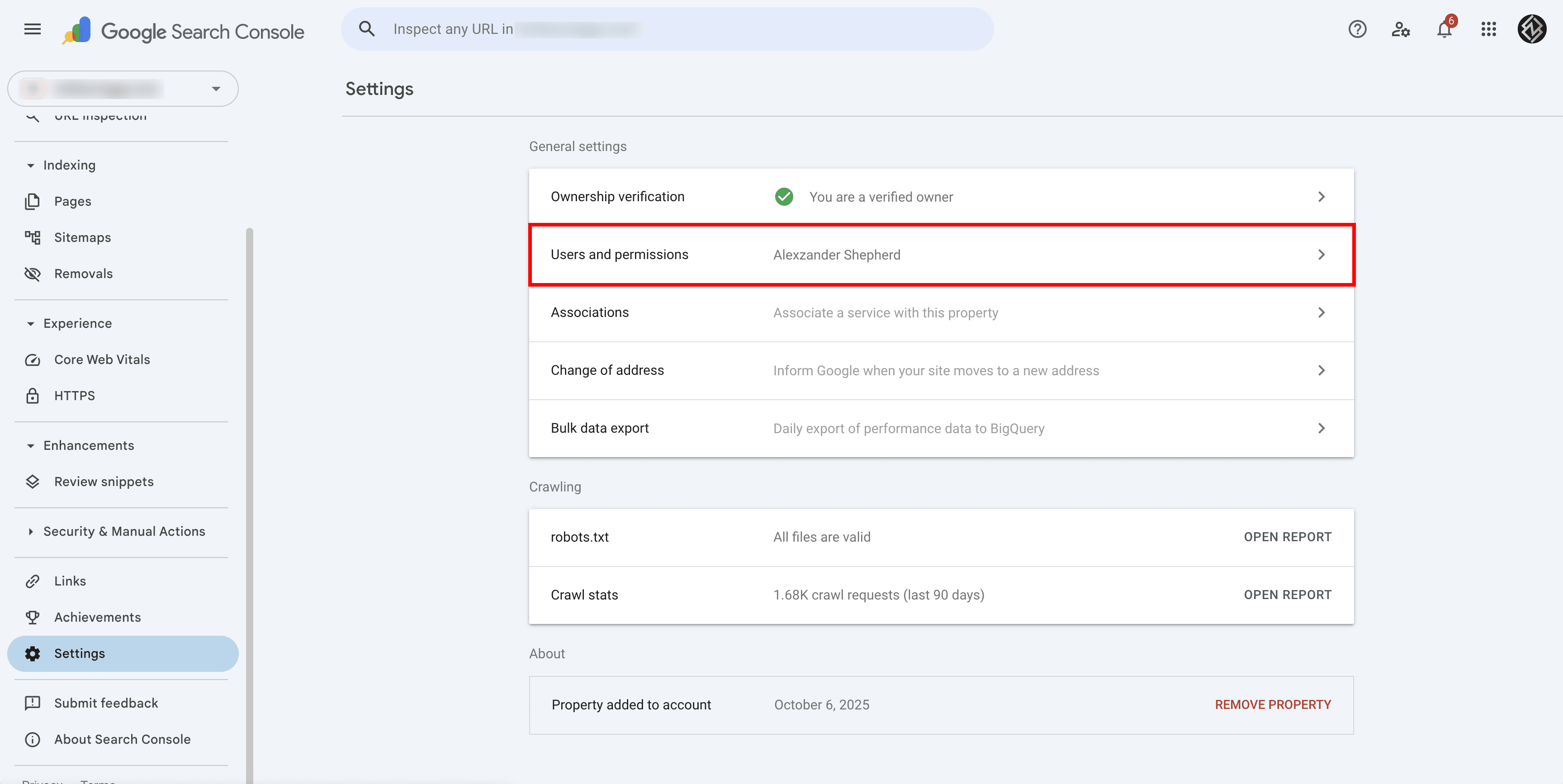
Under Settings, click Users and permissions.
Step 4 – Add a User
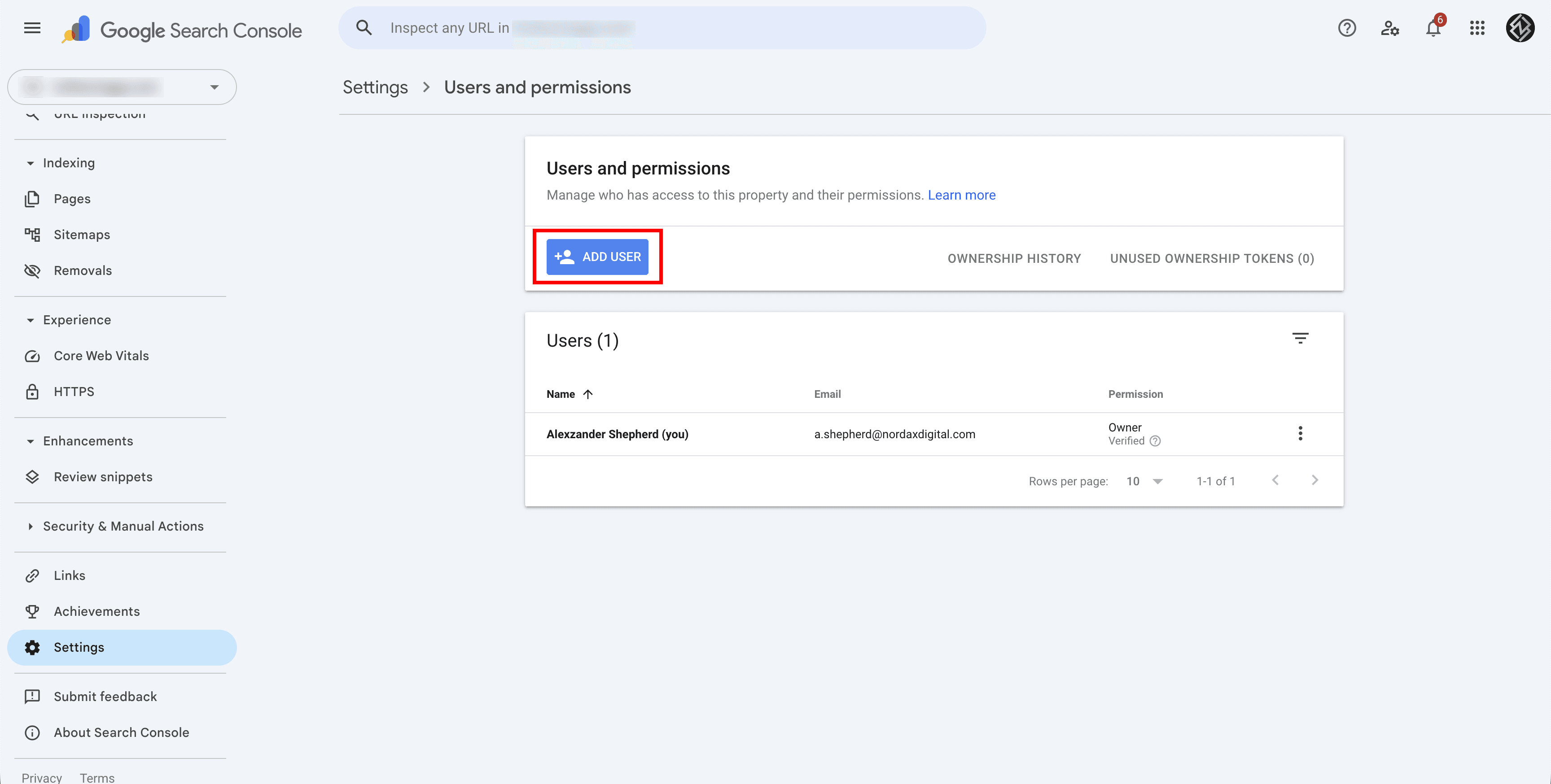
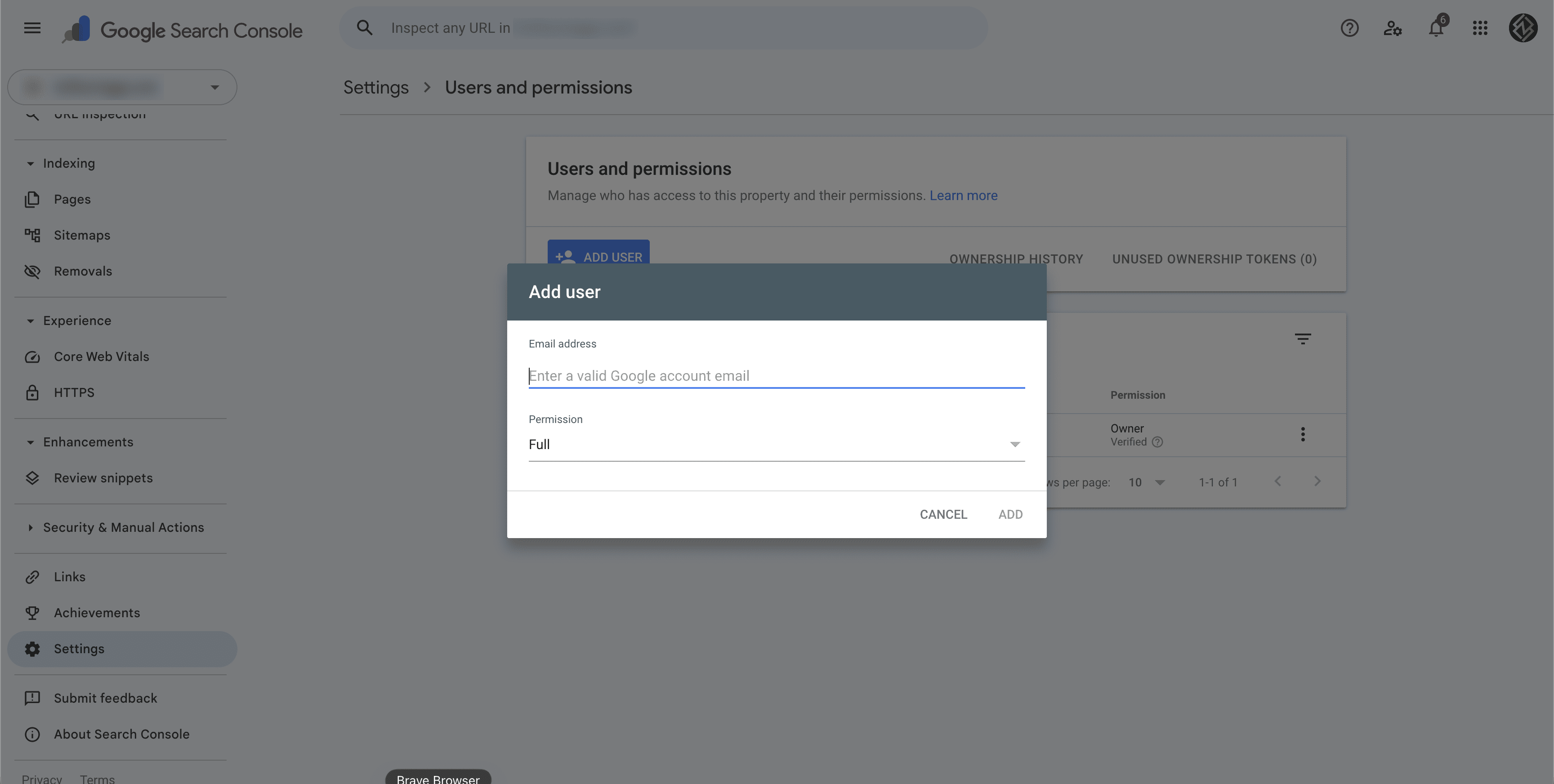
Click the Add user button. Enter the email address we provide and select the permission level. We’ll let you know which level we need — typically Full access.
Step 5 – Confirm
Click Add and we’ll have access immediately. You can change or remove permissions at any time from this same screen.
Need Help?
If you’re not sure which property to share or can’t find the Settings page, contact us and we’ll walk you through it.
Last updated on