Granting Access – Squarespace
If we’re helping with your Squarespace site, we’ll need contributor access. Squarespace makes it easy to invite team members with specific permissions — here’s how.
Step 1 – Open Your Dashboard
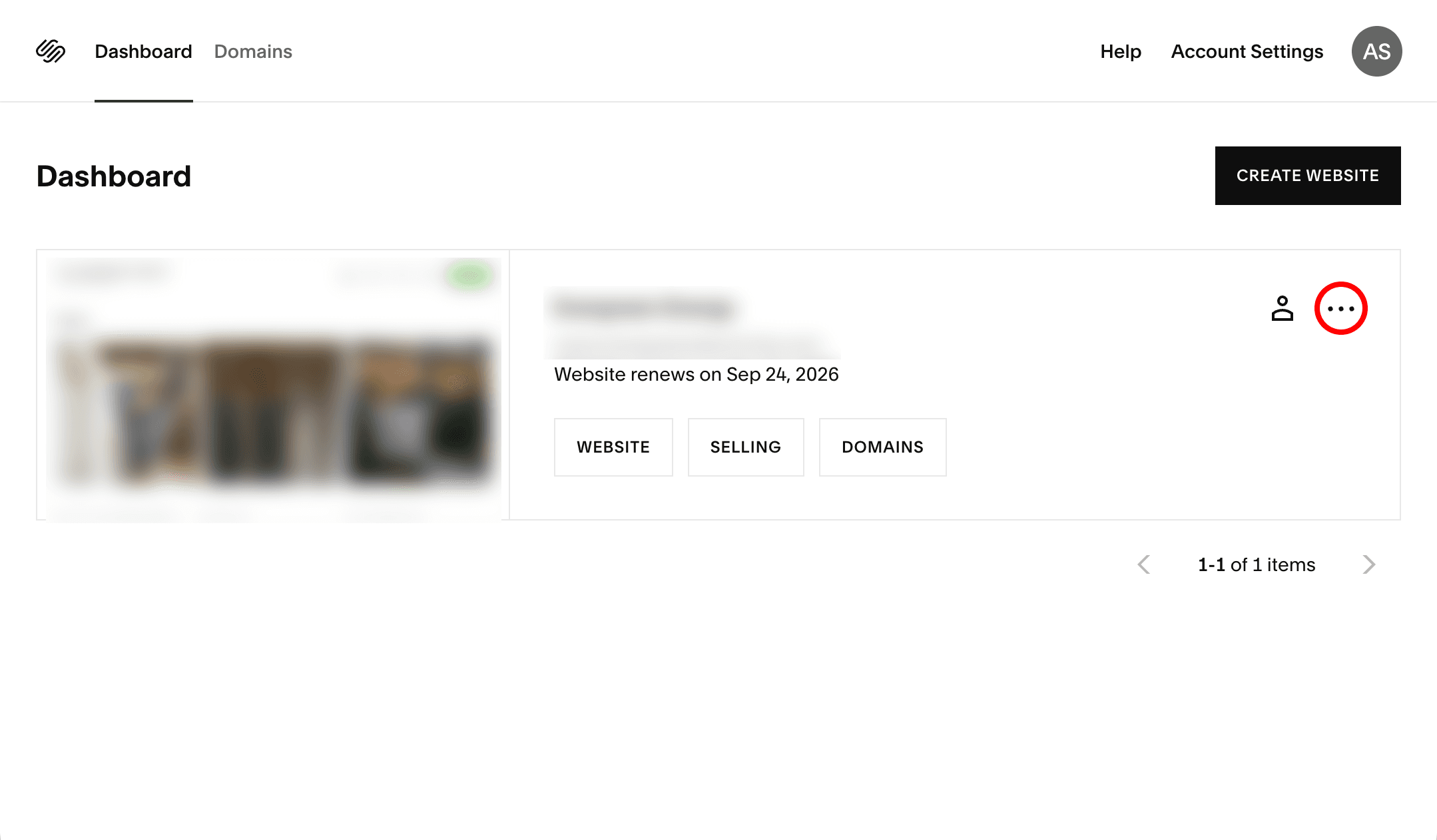
Log in to squarespace.com and find the site you need to grant access to. Click the three-dot menu (⋯) on your site card.
Step 2 – Click Permissions
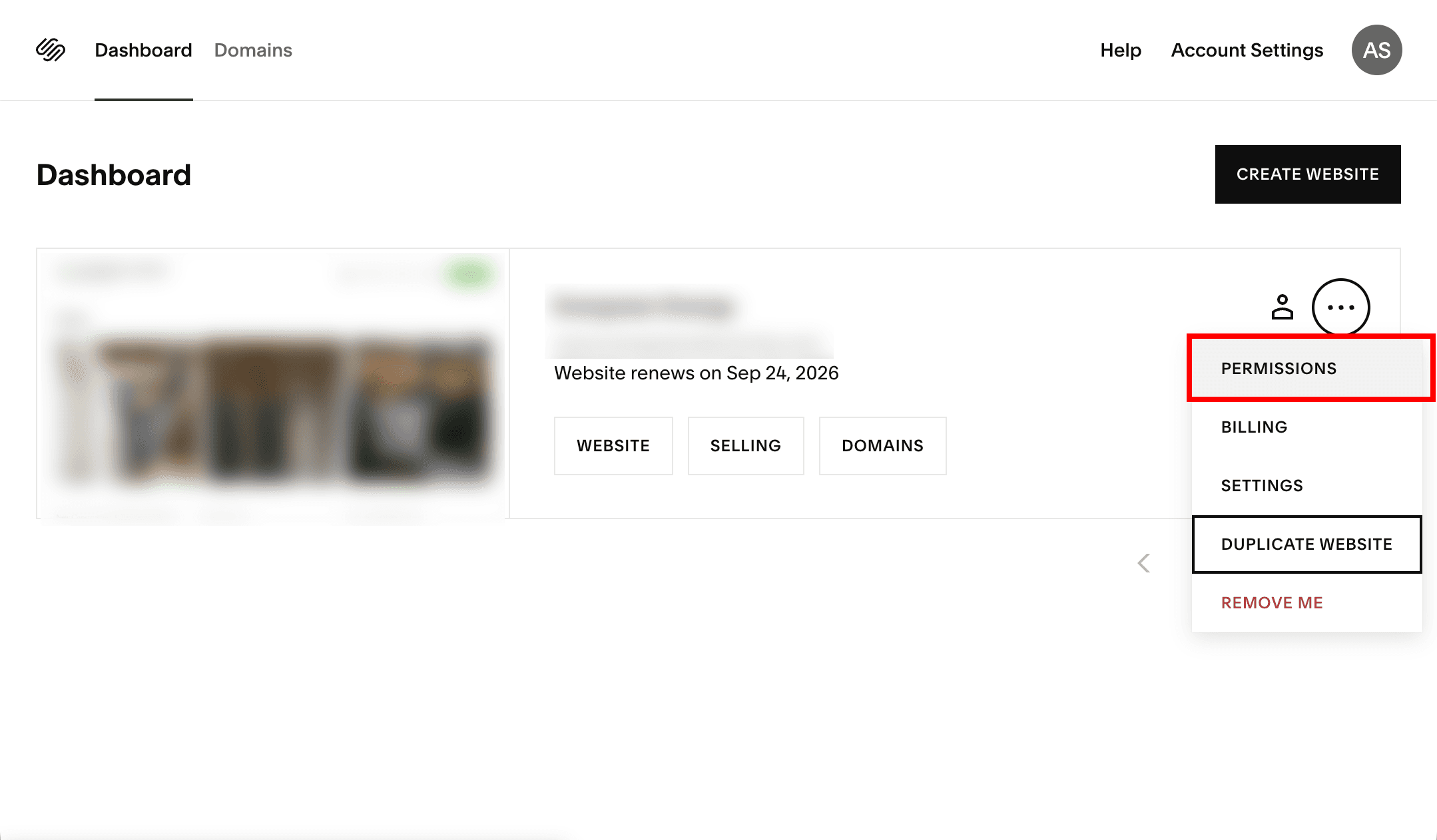
From the dropdown menu, click Permissions.
Step 3 – Click “Invite Contributor”
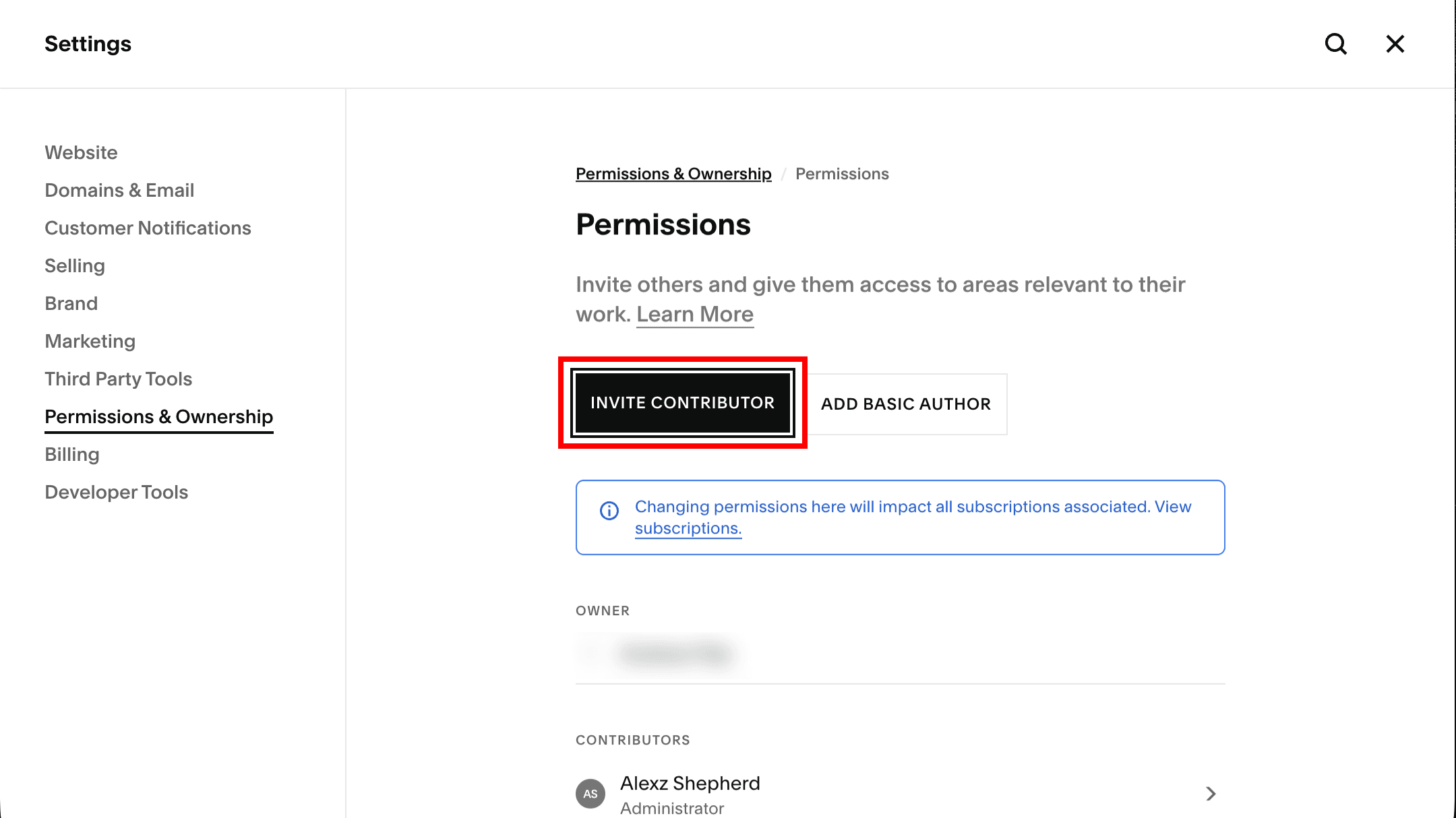
On the Permissions & Ownership screen, click the Invite Contributor button.
Step 4 – Enter Details and Assign a Role
Enter the name and email address we provide, then toggle the appropriate role. We’ll let you know exactly which role we need.
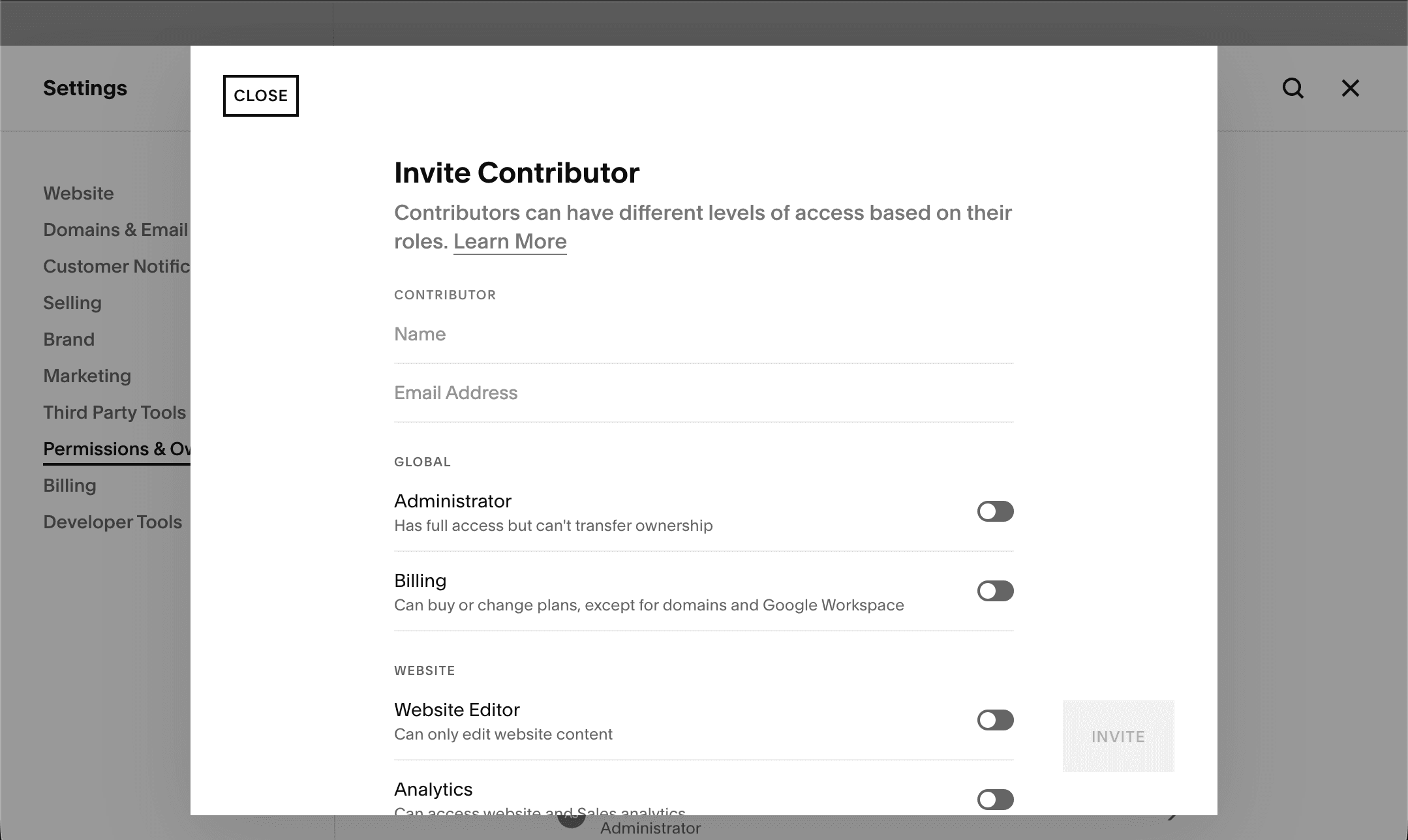
In most cases, Administrator gives us the access required to make design and development changes without affecting ownership.
That’s It
Once you send the invite, we’ll receive an email and accept it on our end. You’ll see us listed under Contributors on your Permissions page. You can remove access at any time.
Need Help?
If you’re not sure which site to grant access to, or if you’re having trouble finding the Permissions page, contact us and we’ll walk you through it.