Granting Access – TikTok Business Center
If we’re managing TikTok ads or helping with your business presence on TikTok, we’ll need access through the TikTok Business Center. Here’s how to add us.
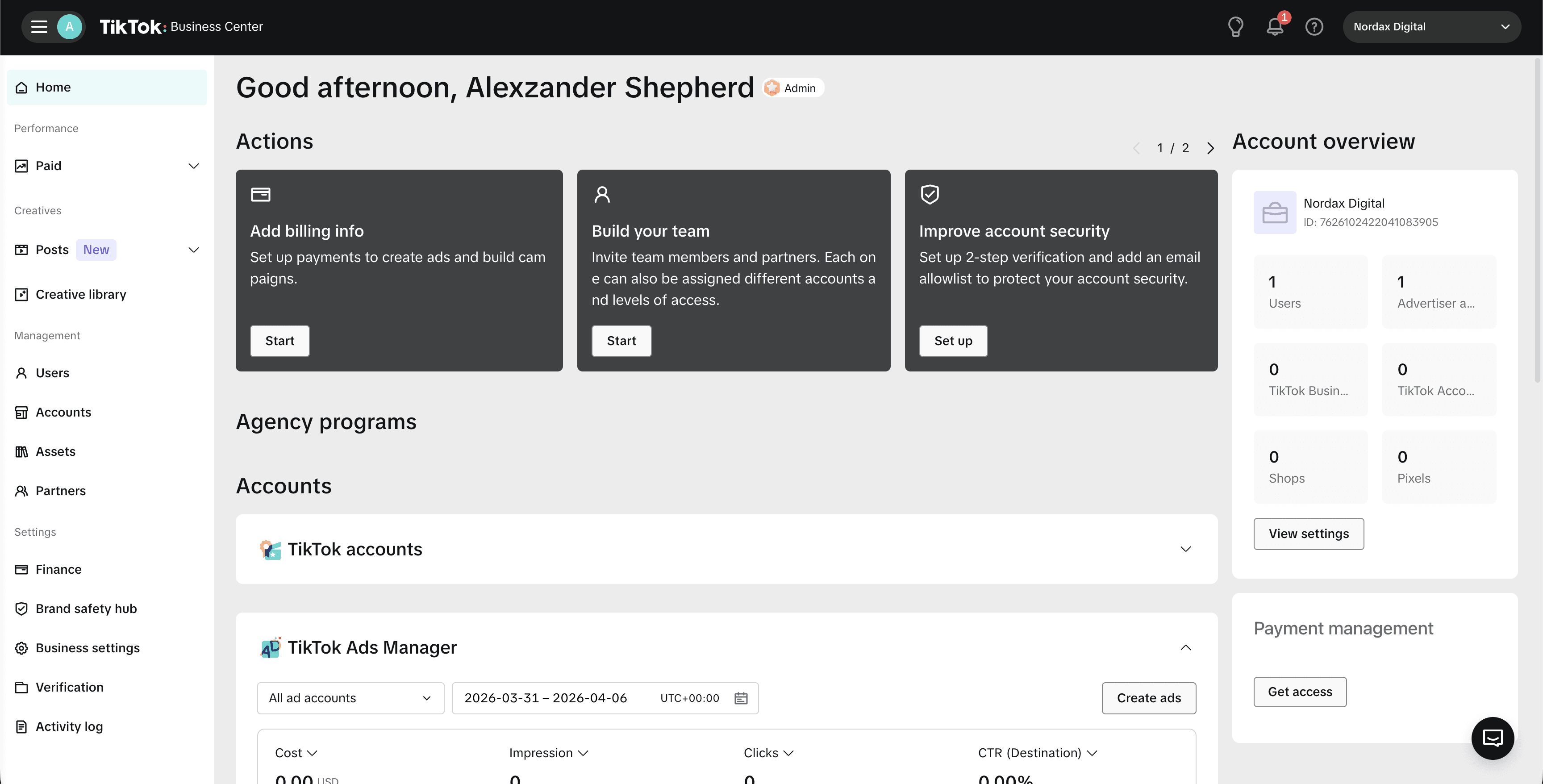
Step 1 – Open TikTok Business Center
Go to business.tiktok.com and sign in to your Business Center.
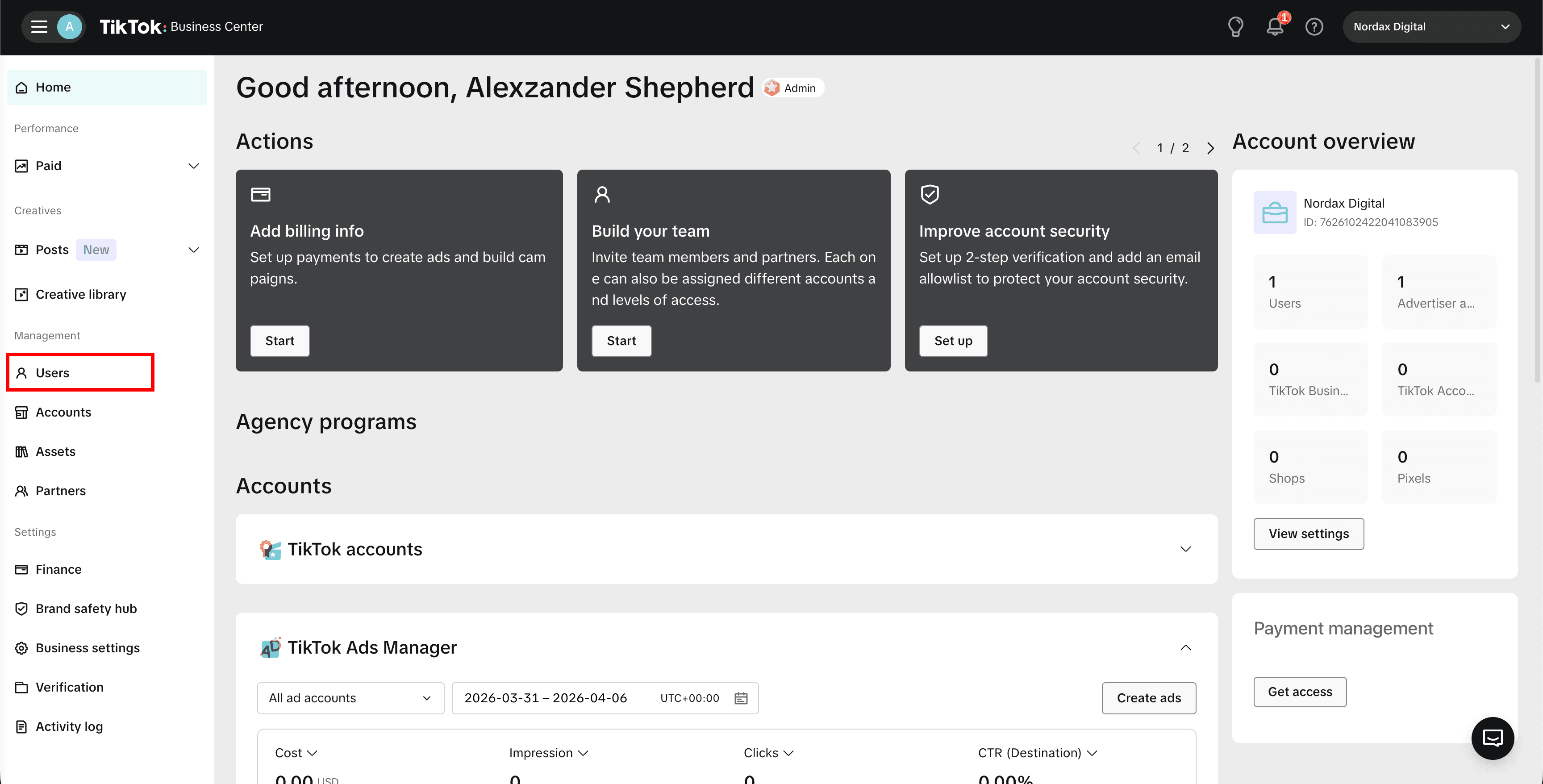
Step 2 – Go to Users
In the left sidebar under Management, click Users.
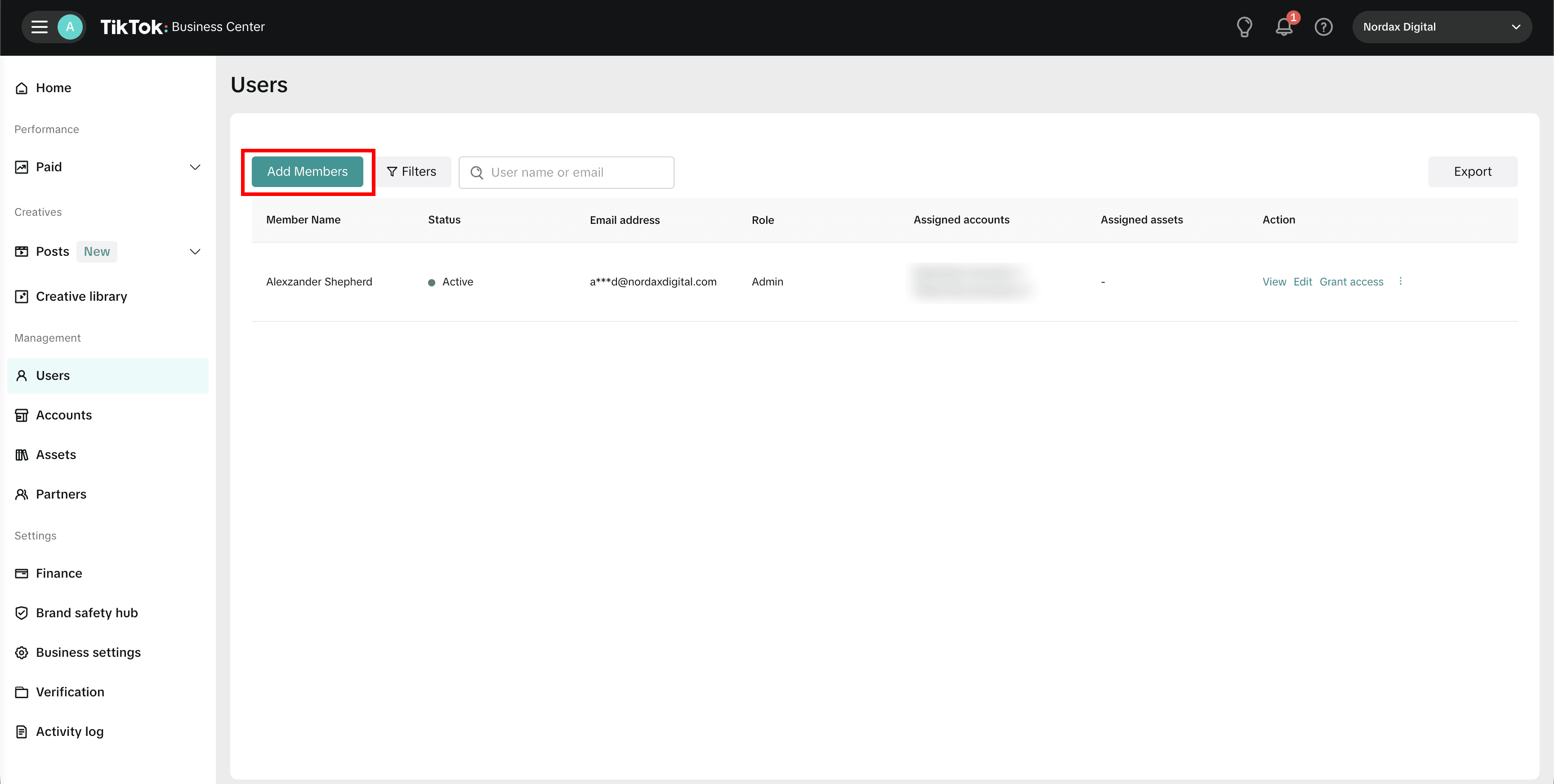
Step 3 – Click Add Members
On the Users page, click the Add Members button. You’ll see a list of current members and their roles.
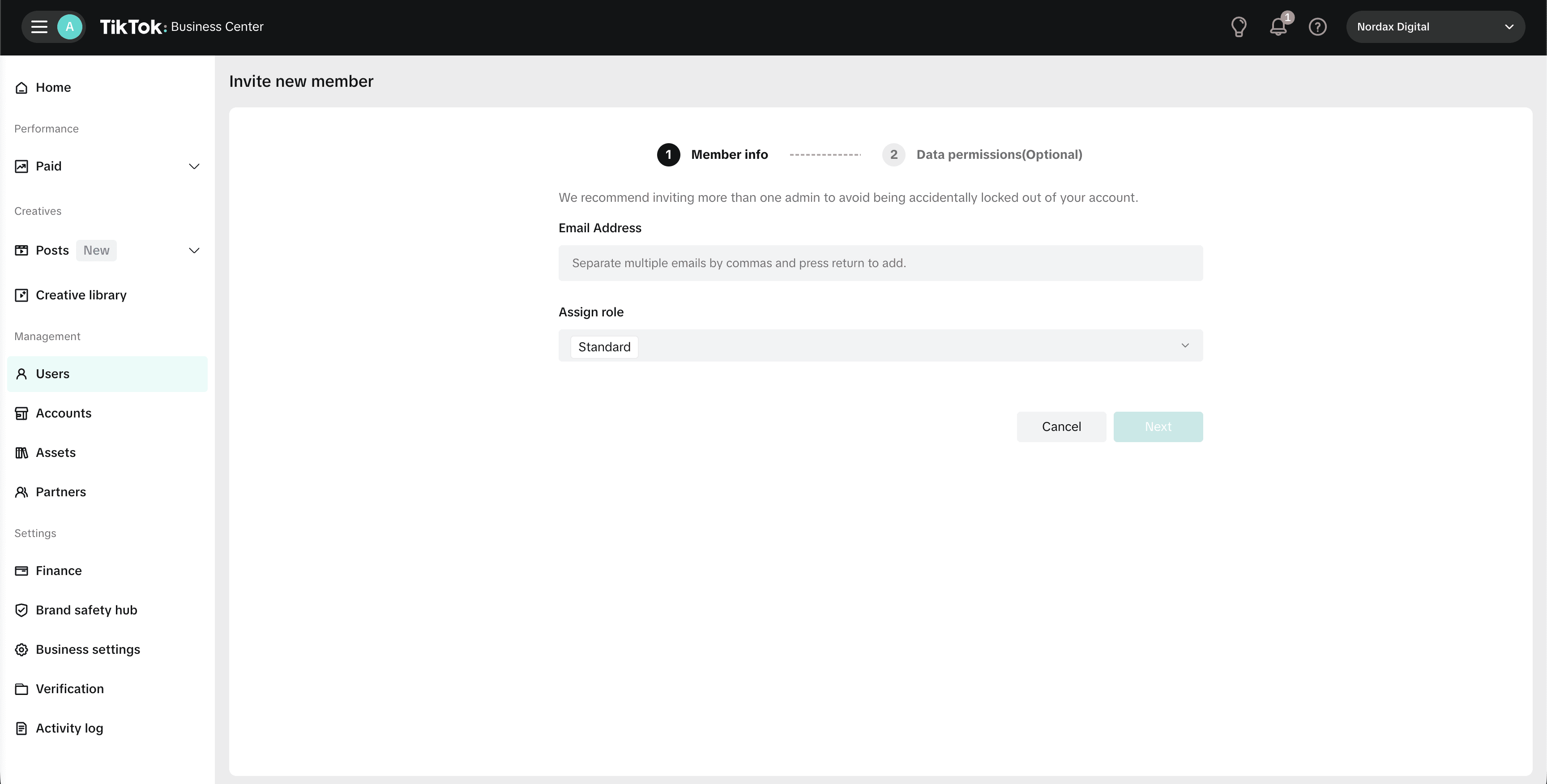
Step 4 – Enter Member Info
On the Invite new member screen, enter the Email Address we provide and use the Assign role dropdown to select a role. We’ll let you know which one we need. Click Next to continue.
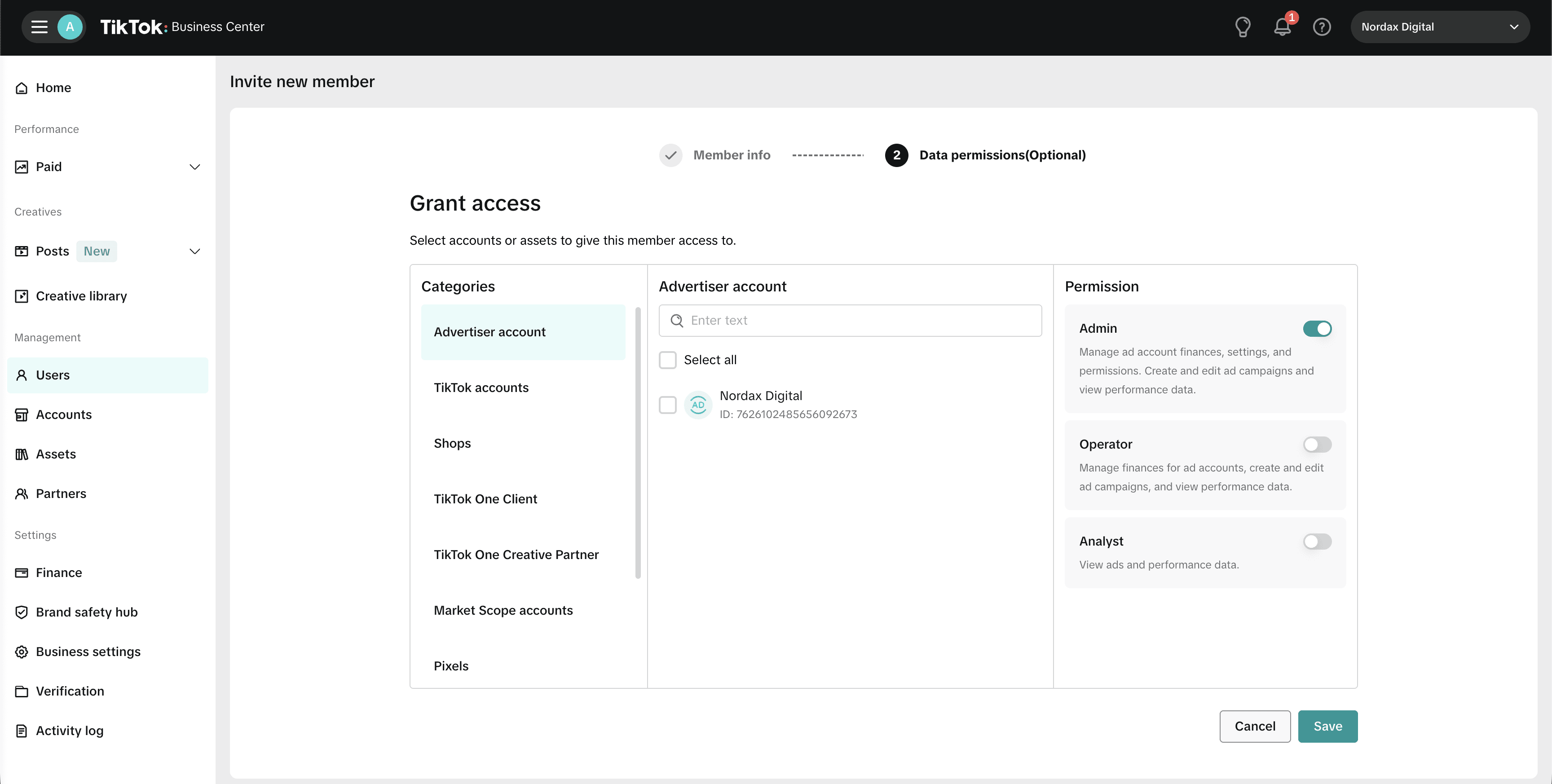
Step 5 – Grant Access (Optional)
On the Data permissions step, you can select which accounts and assets the new member can access, and set their permission level (Admin, Operator, or Analyst). We’ll let you know what’s needed. Click Save when done.
Need Help?
If you don’t have a TikTok Business Center set up yet, contact us and we’ll help you get started.